Your AI assistant can run it.
Norka has an MCP server, so Claude, ChatGPT or any MCP client can do what you do in the app, in plain language.
Ask in plain language
Connect Norka to your AI agent and ask questions or give it jobs: who arrives on Friday, which stays are still unpaid, book Apartment 2 for the Nováks.
- Connect it in a few clicks from the app’s settings
- Every answer cites the page in the app it came from
- The MCP server is included in every plan
Same rules as the app
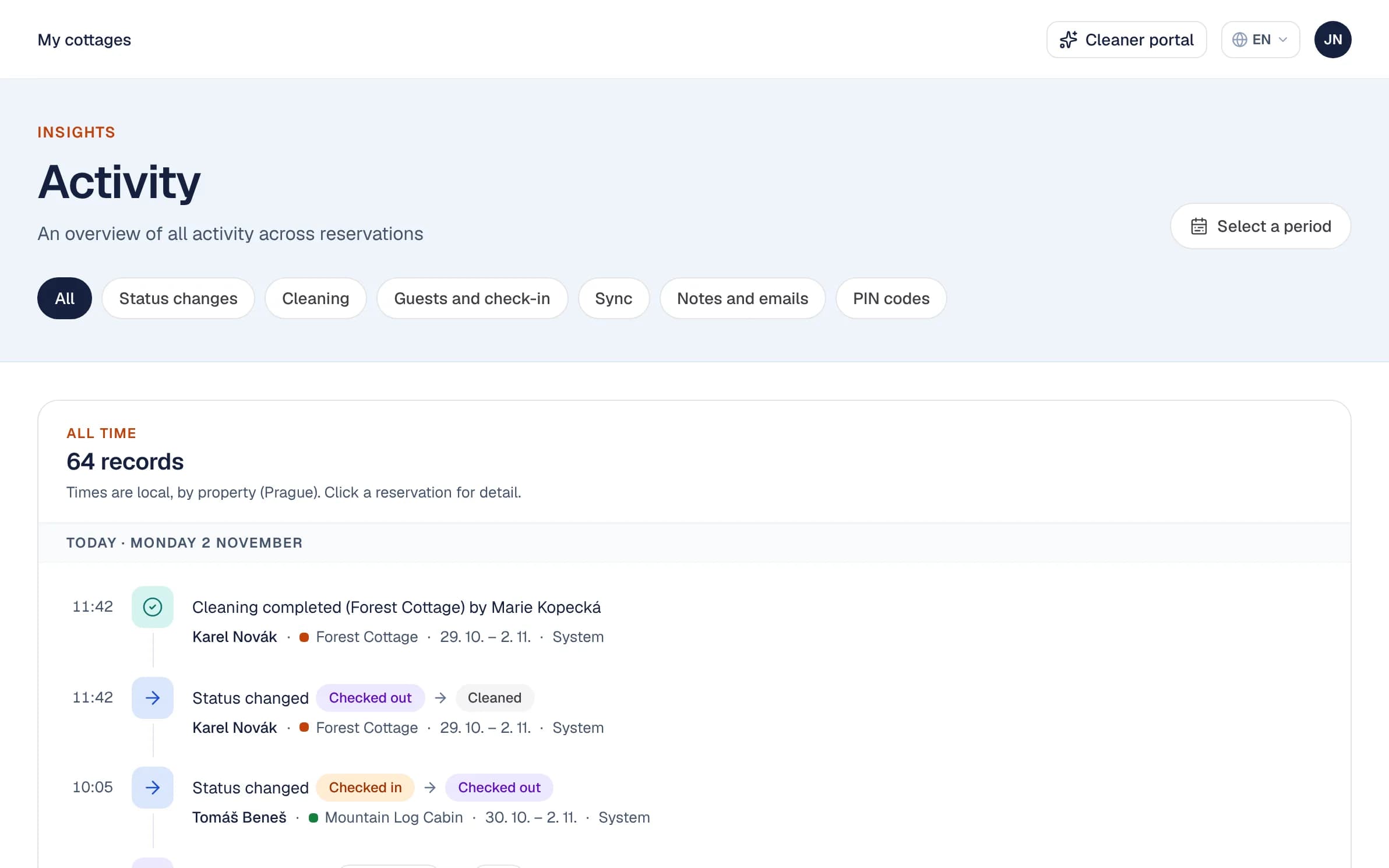
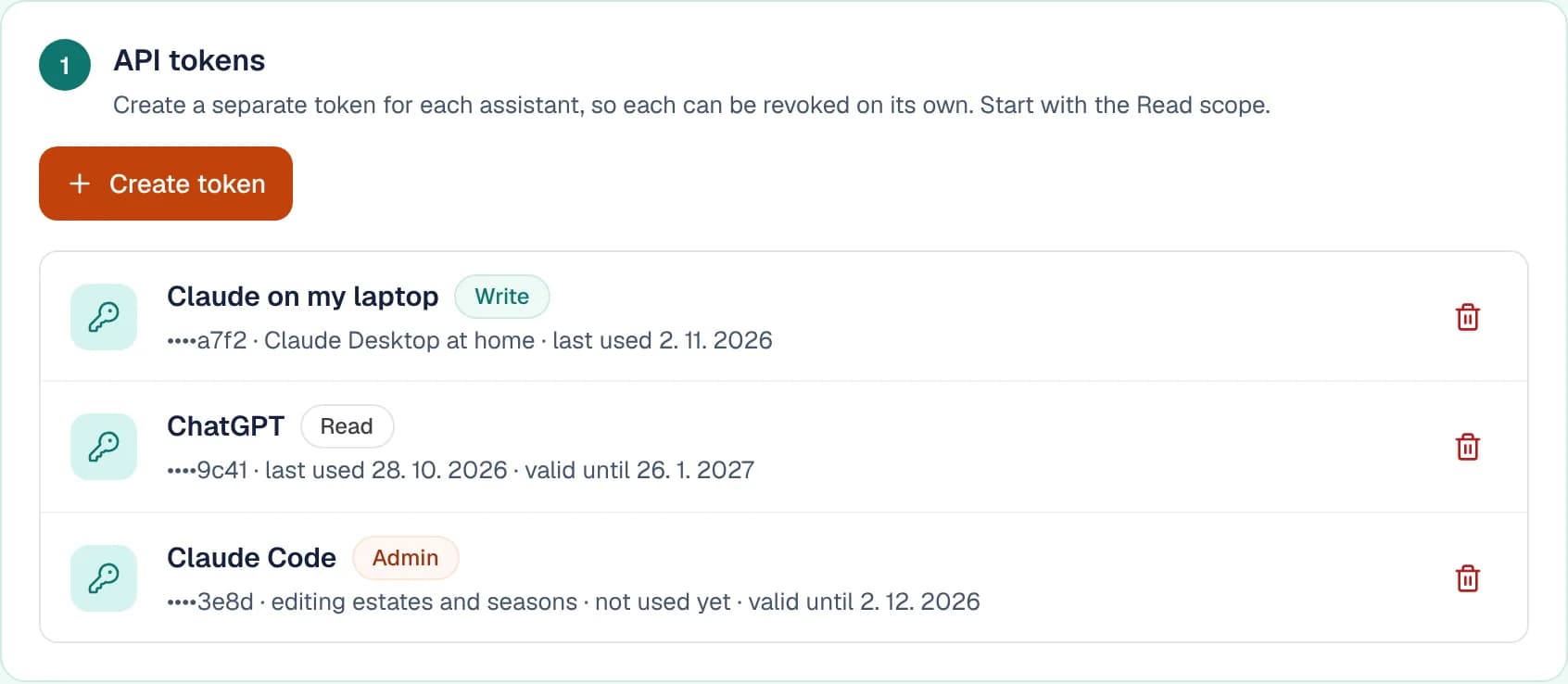
An agent respects cleaning turnarounds, writes to the activity log and sends the same notifications as the app. It reaches only as far as its token lets it.
- Read-only, write or admin tokens
- A REST API with the same token
- Every change it makes is in the activity log
Set Norka up by talking to it
Tell the agent about your properties and it creates them, with prices, seasons, door codes and arrival guides. Calendar links, invoicing details and team invitations are still added in the app.
- Properties, prices and seasons
- Door codes and arrival guides
- Ready in an afternoon
- A property for 6 guests
- A winter season at CZK 3,500 a night
- Door PIN 4821
- A draft arrival guide
Reservations & calendar
Every booking from every channel in one place, with clashes caught for you.
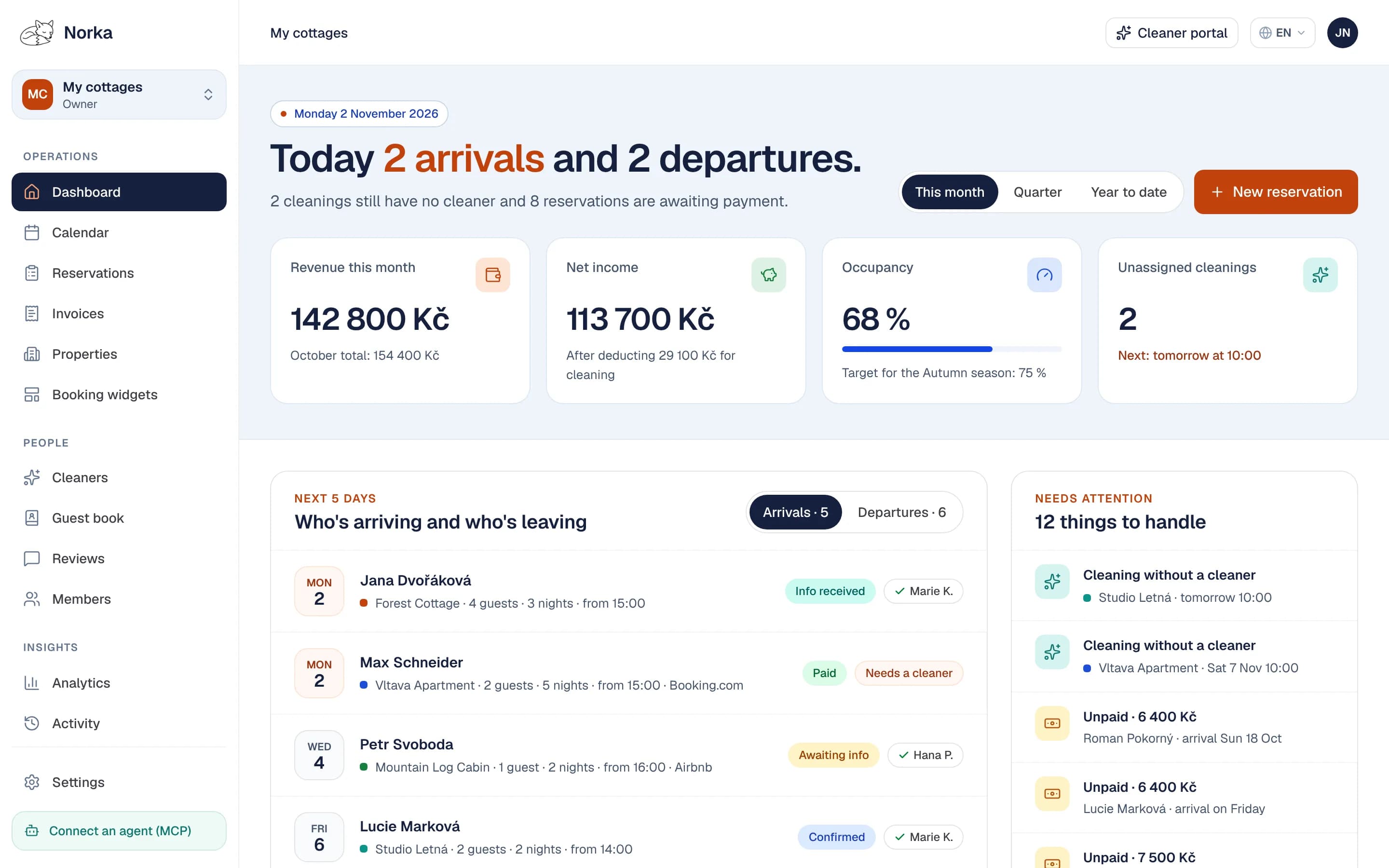
Your day at a glance
The overview shows who arrives and leaves today, who comes over the next five days, and what needs your attention.
- Today’s arrivals and departures
- Collisions, unpaid stays, cleanings with no cleaner and failed calendar syncs in one list
- A monthly summary by email
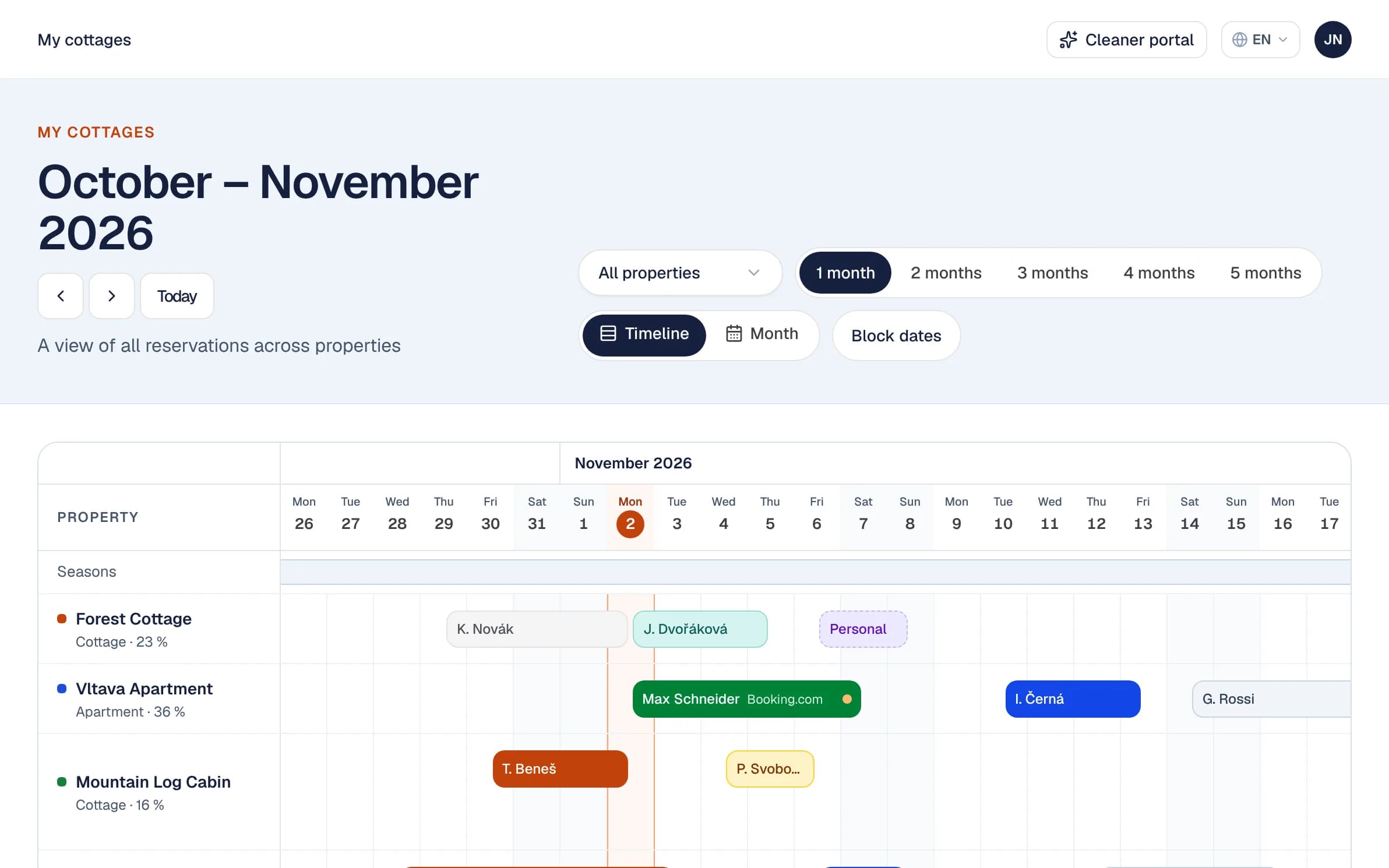
Every property in one calendar
Every booking across every property, by day or by month. Colour shows a booking’s status; an orange dot marks a stay with no cleaner assigned yet.
- Block dates for maintenance
- Add direct bookings by hand
- An iCal export for every property
Each booking in detail
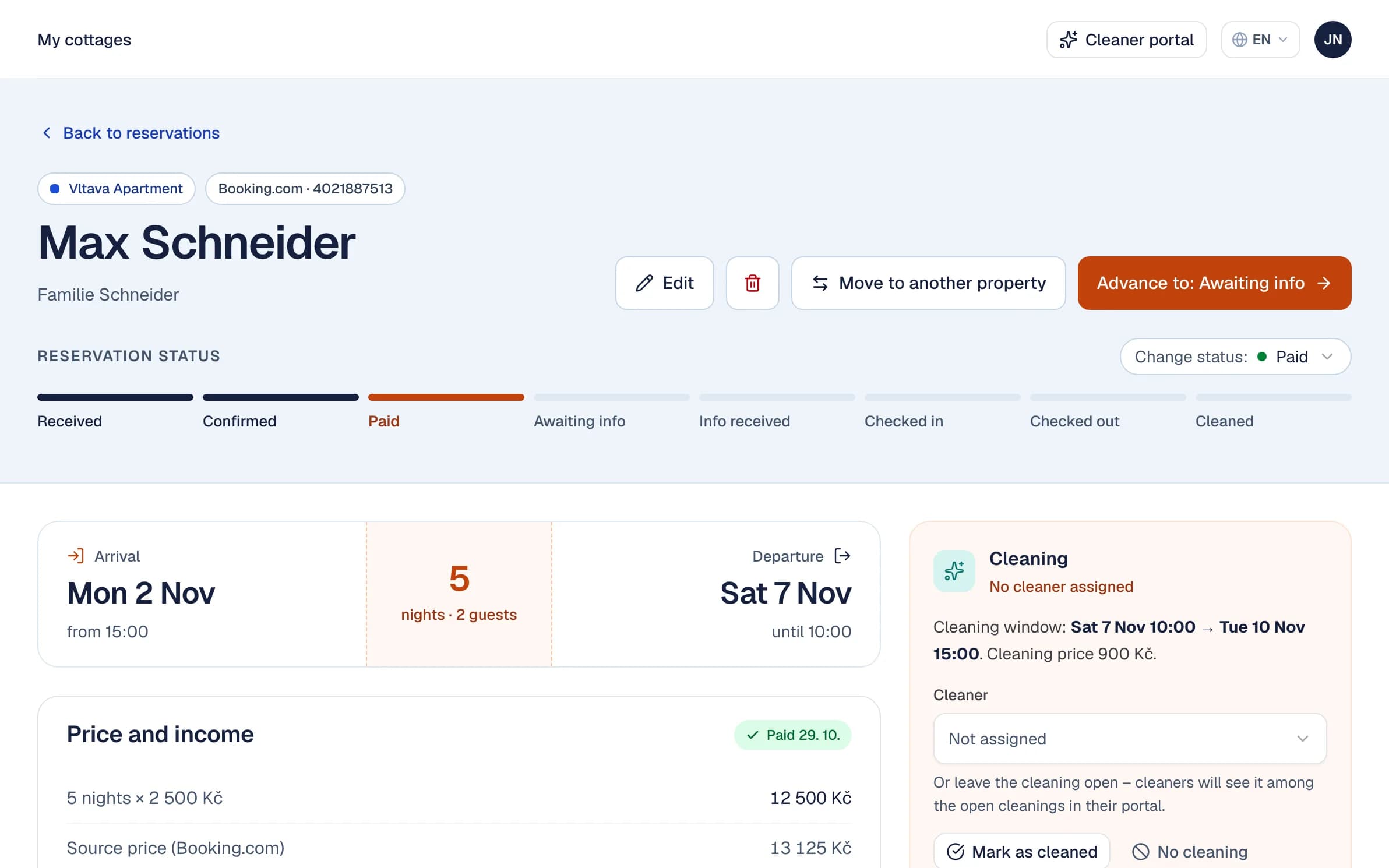
Where a booking came from, what it costs and how far along it is, from received to cleaned. One button moves it to another property, with a preview of what changes.
- Status from received to cleaned
- Price, cleaning and net income
- Move a stay to another property
Channels sync over iCal
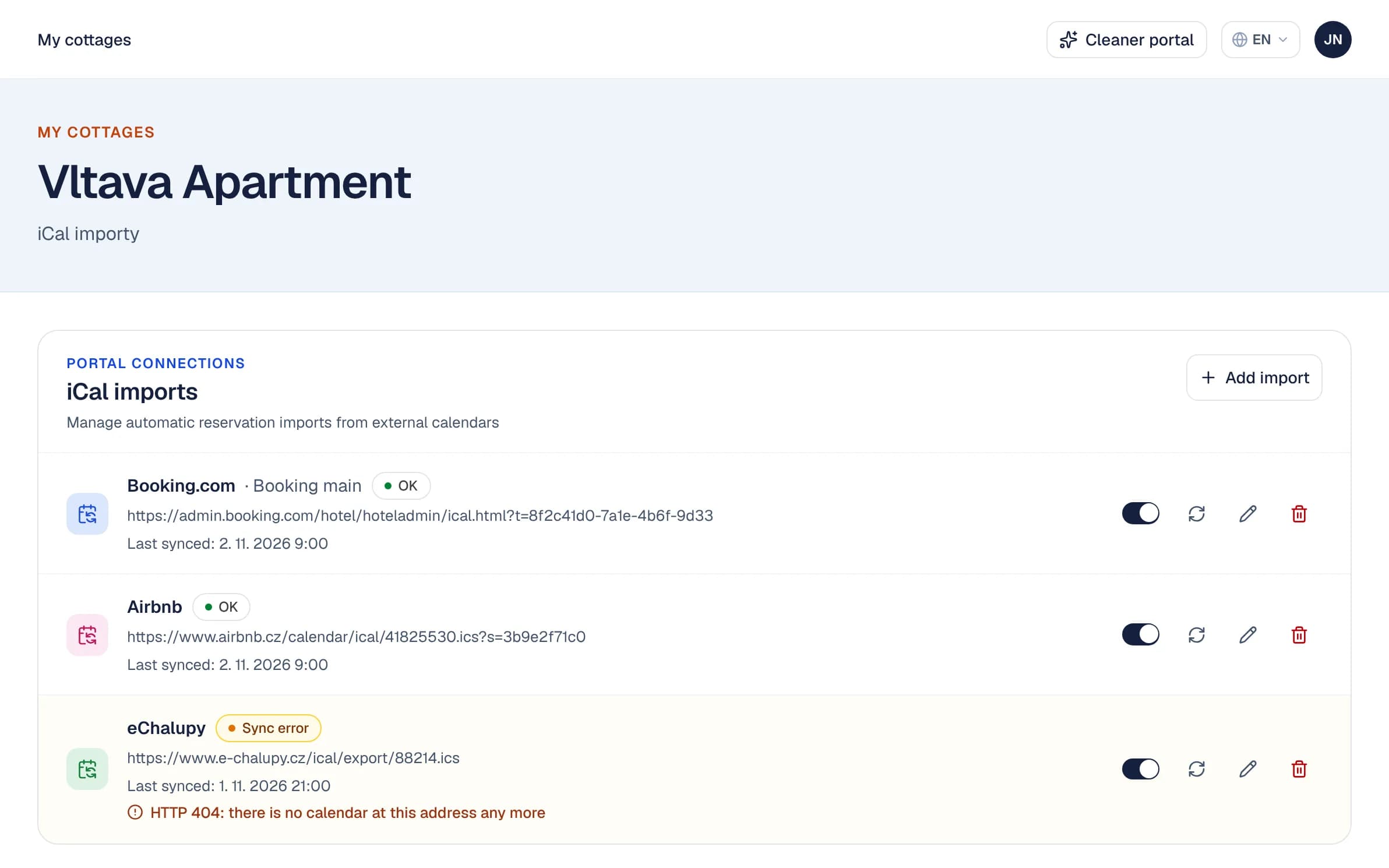
Paste the iCal link from Booking.com, Airbnb, e-chalupy.cz or any other channel. Norka pulls new and changed bookings and watches for collisions and cancellations.
- Clear a double booking in one click
- See when a calendar fails to sync
- Prices are not pushed to portals
Direct bookings
Take bookings on your own website without paying commission.
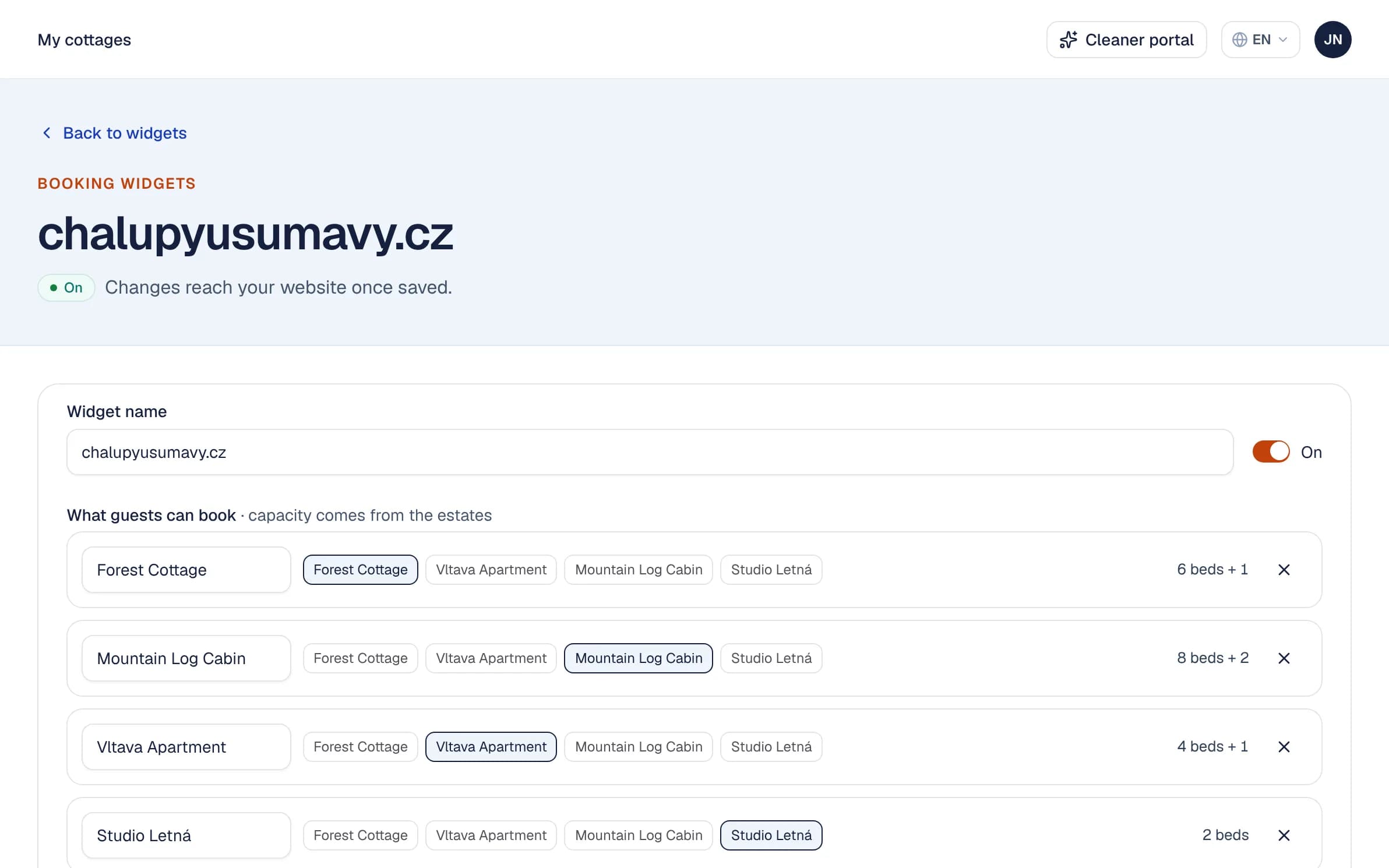
A booking widget for your website
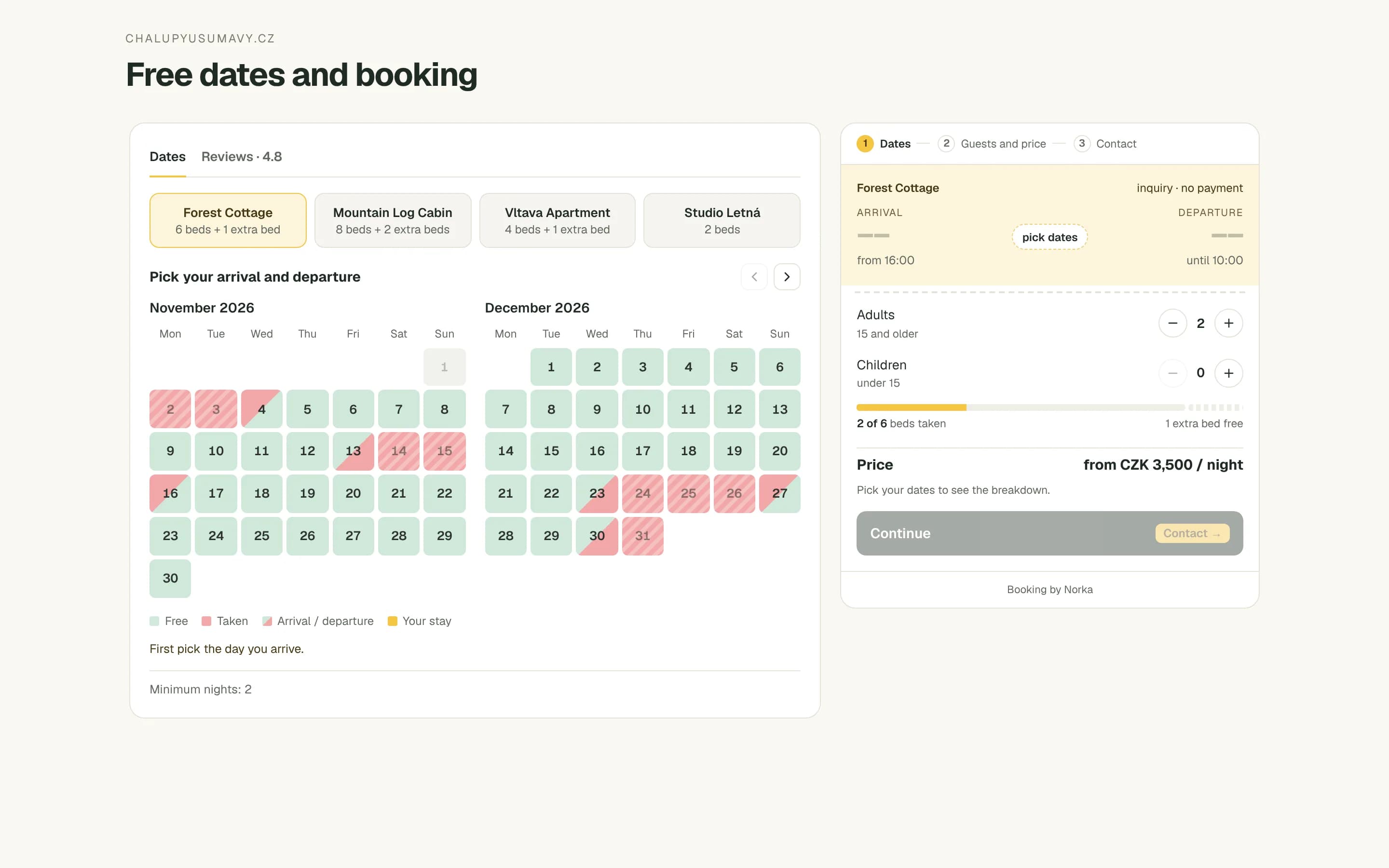
A calendar of free dates and an inquiry form you put on your website with two lines of code. The guest picks dates and the number of people and sees an estimated price from your pricebook.
- The dates are held until you accept or decline
- Accept or decline on the dashboard in one click
- No upfront payment, no commission
In your colours, with your reviews
Choose which properties the widget offers and how many guests each takes, match its colours to your website, and show the ratings guests chose to make public.
- Extra beds included in the price
- A Reviews tab with public ratings
- A compact size for narrow pages
Guests
Guests check themselves in and find everything they need before they arrive.
Guest self check-in
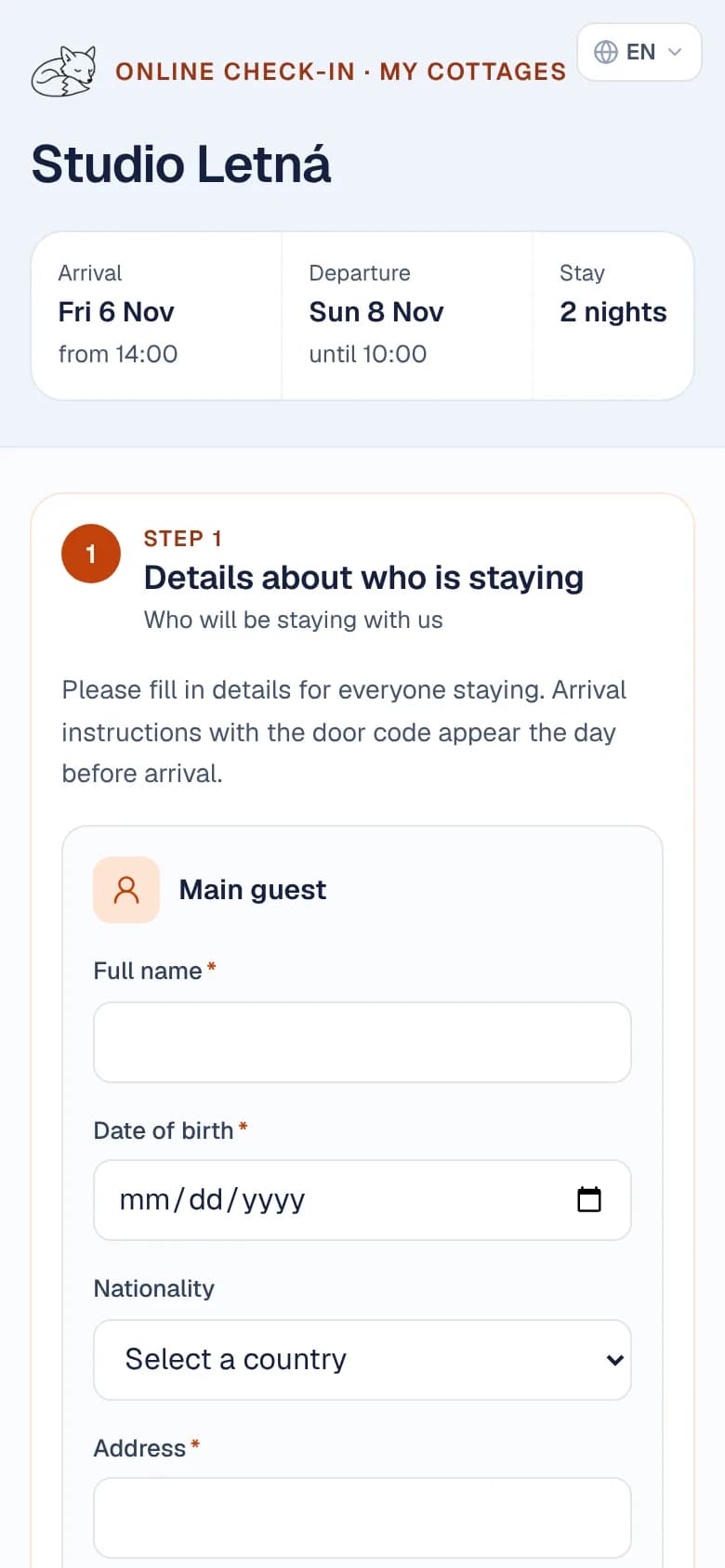
Guests get a private link and, before they travel, fill in the details of everyone staying and choose the language you write to them in.
- No forms at the door, no chasing
- Send the link in one click
- Czech, English, German, French or Polish
Arrival guides and door codes
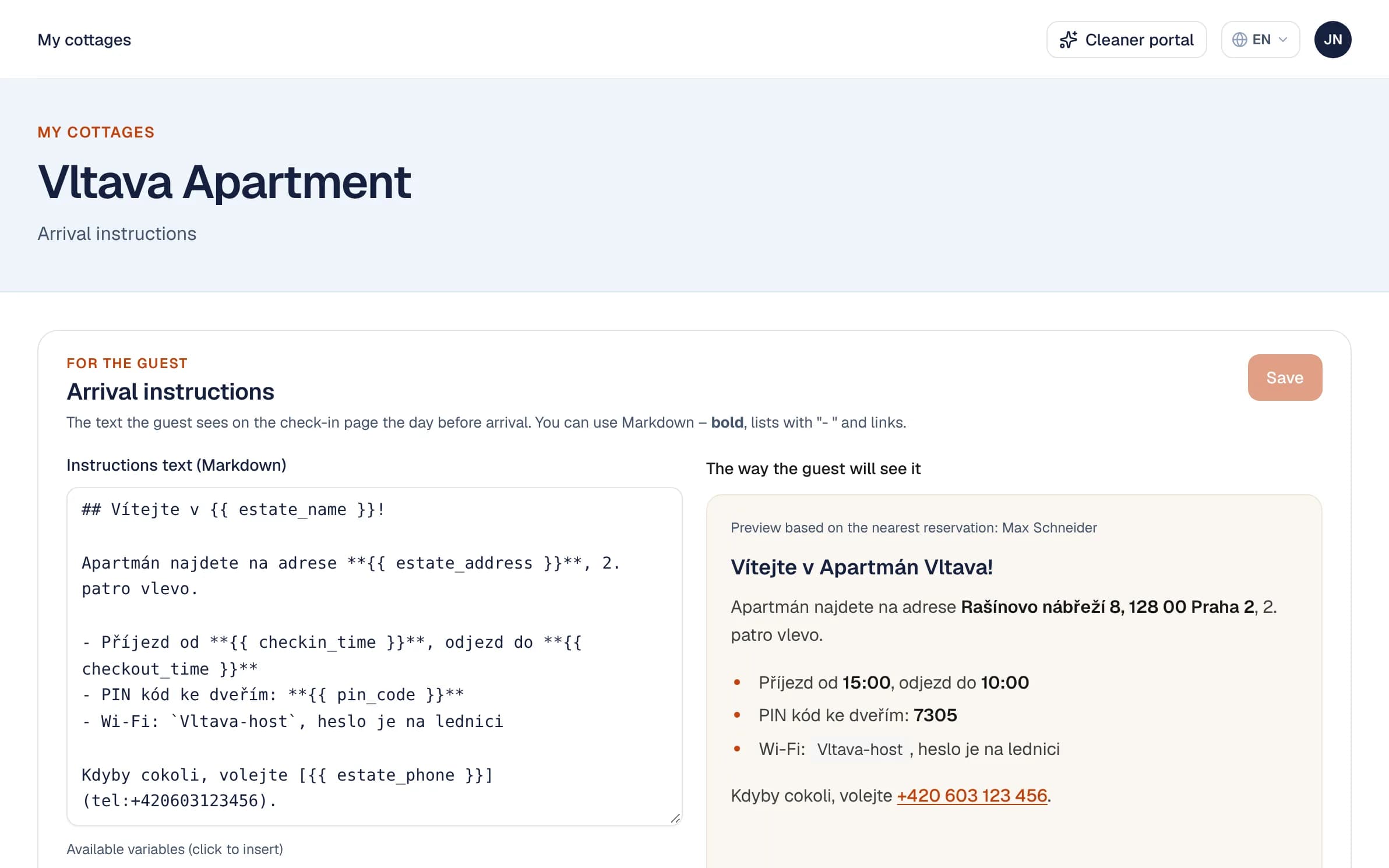
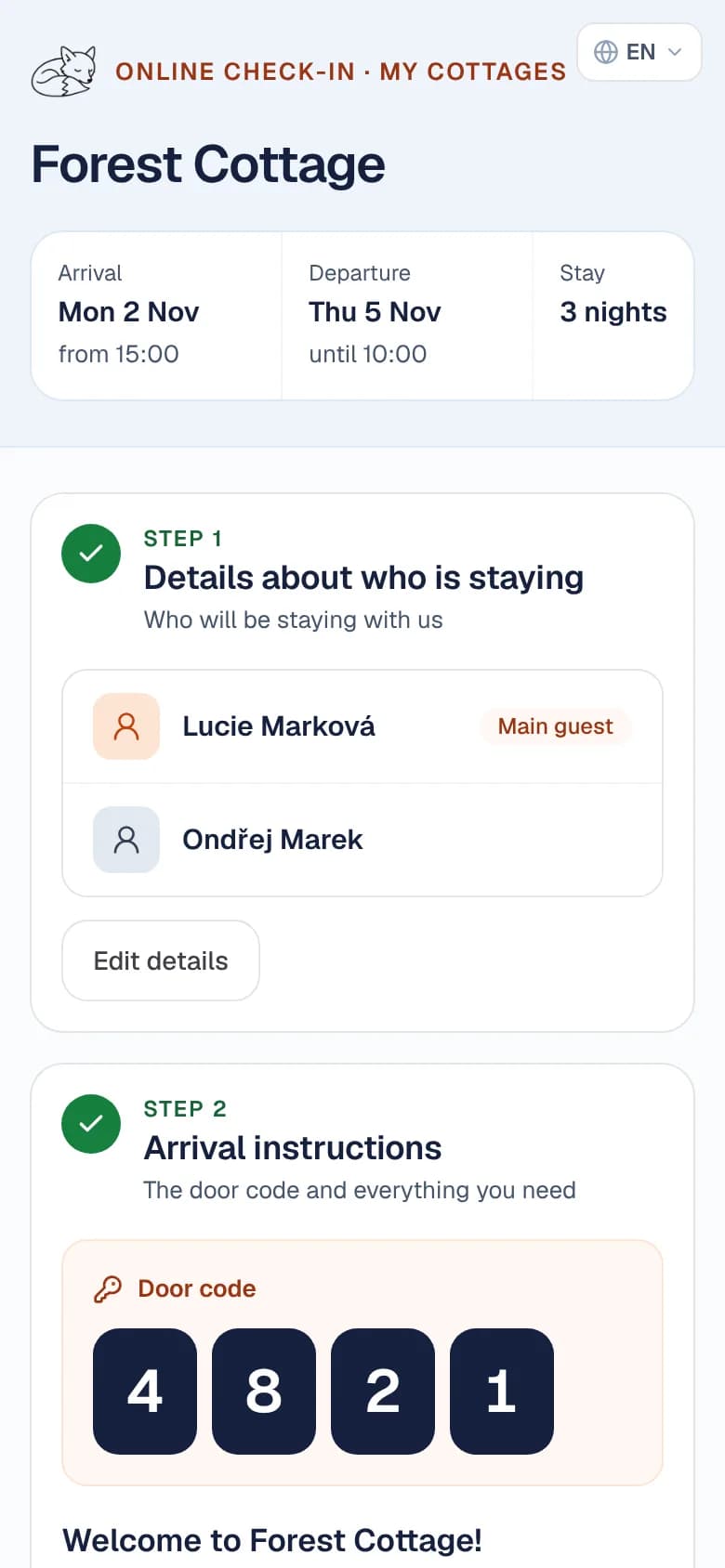
Directions, door codes, Wi-Fi and house rules, written once per property. A day before arrival the guest’s link shows the guide with their personal PIN; after checkout the code is gone.
- Written once, filled in for each stay
- A personal PIN for each stay
- A guide per property when a guest stays in several
Emails and texts in their language
The booking confirmation and, a couple of days after checkout, a request for feedback go out on their own. The check-in link and the invoice take one click.
- Optional text messages to guests with a mobile number
- Each guest in their own language
- Replies come to your own address
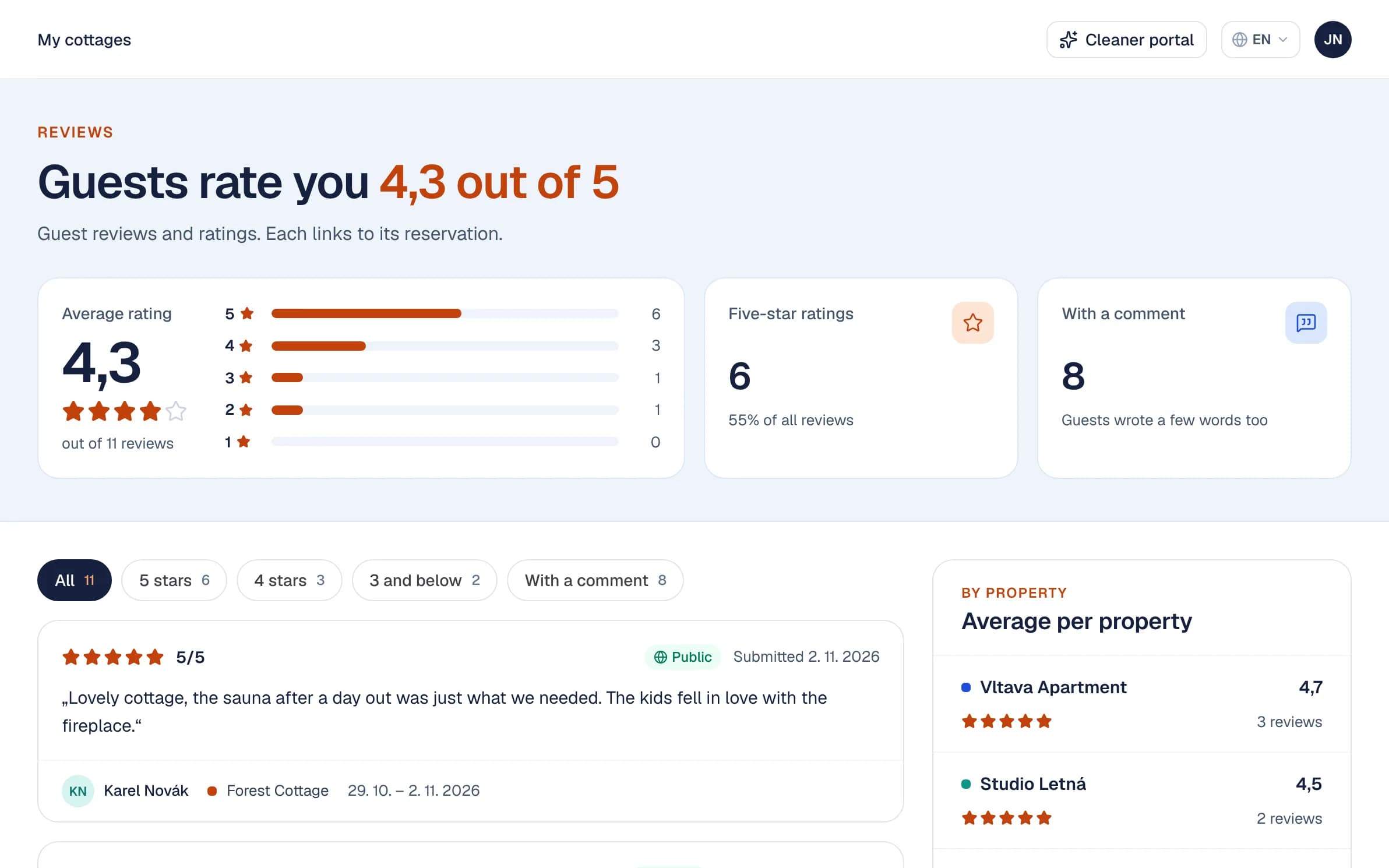
Guest feedback
A short survey after checkout. Ratings and comments land next to the reservation, so you spot what repeats at each property.
- An average rating per property
- Guests choose whether a rating is public
- Public ratings show in the booking widget
Cleaning
Turnovers appear for your cleaners as soon as bookings arrive.
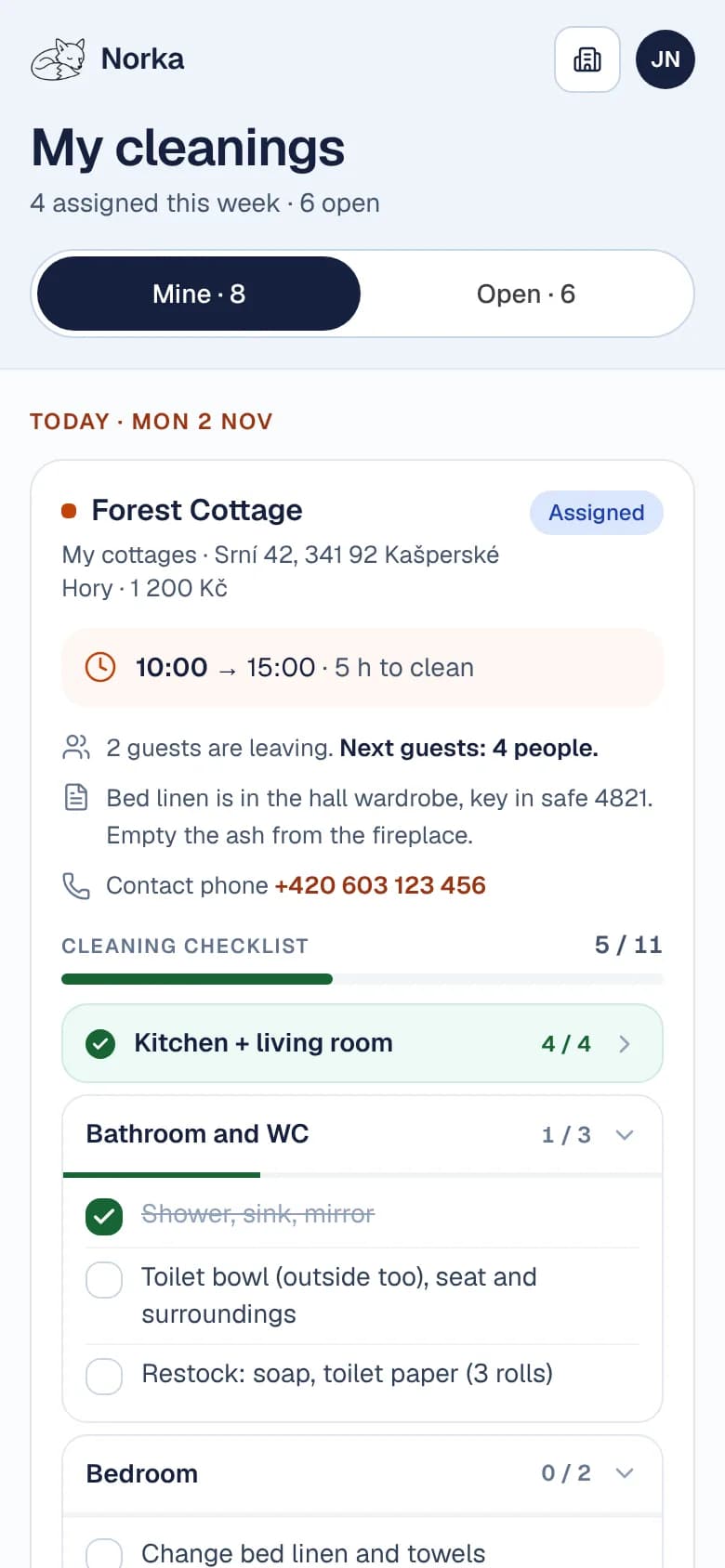
A portal for your cleaners
Cleaners sign in to a simple mobile view of upcoming turnovers. They see what needs doing, tick off the property’s checklist room by room, and mark it done.
- Assigned and open cleanings
- A checklist for each room
- A cleaning calendar for the cleaner’s phone
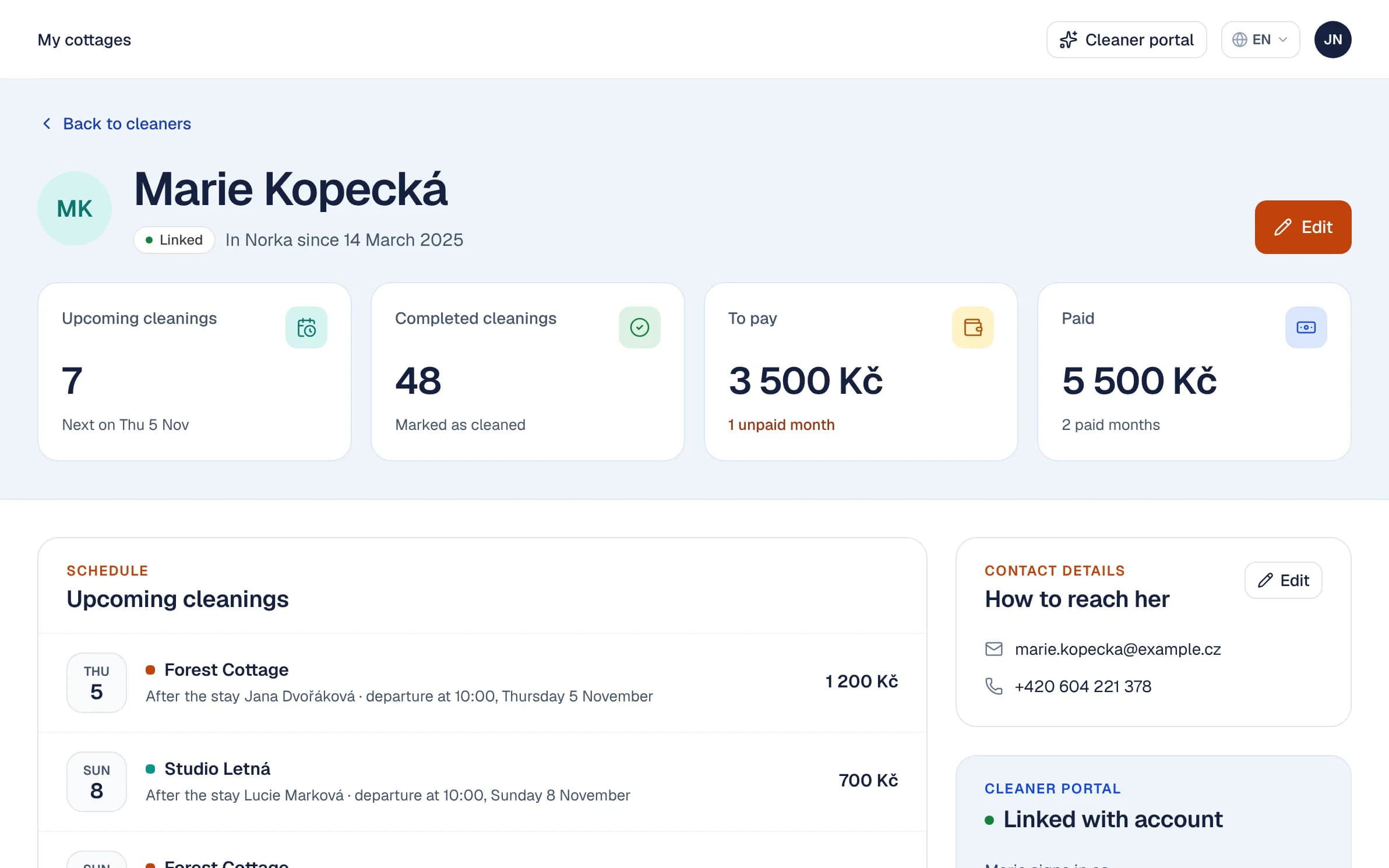
What each cleaner is owed
Each cleaner has a page with their upcoming cleanings and a monthly total of what you owe them. Tick off a month once it is paid.
- A monthly total per cleaner
- The morning overview flags departures with no cleaner
- Contact details and portal access in one place
Pricing, invoices & numbers
A new reservation prices itself, an invoice takes one click, and the numbers add up on their own.
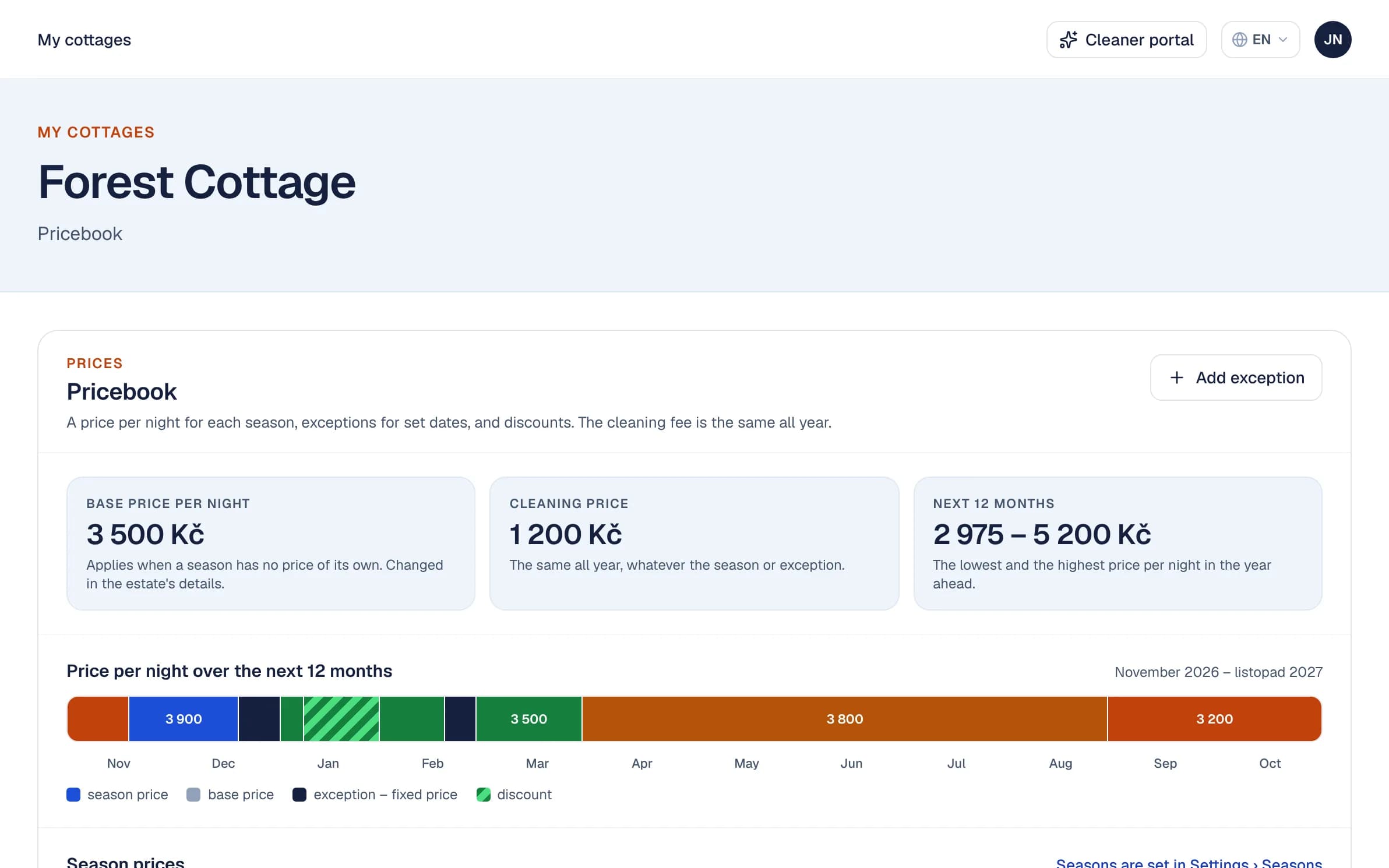
Seasons and a pricebook per property
Define your own seasons and give each property a price per night in each of them, plus a fixed price for Christmas or a January discount. A new reservation prices itself.
- A base price and a cleaning price
- Exceptions and discounts for any dates
- The price per night for the next 12 months
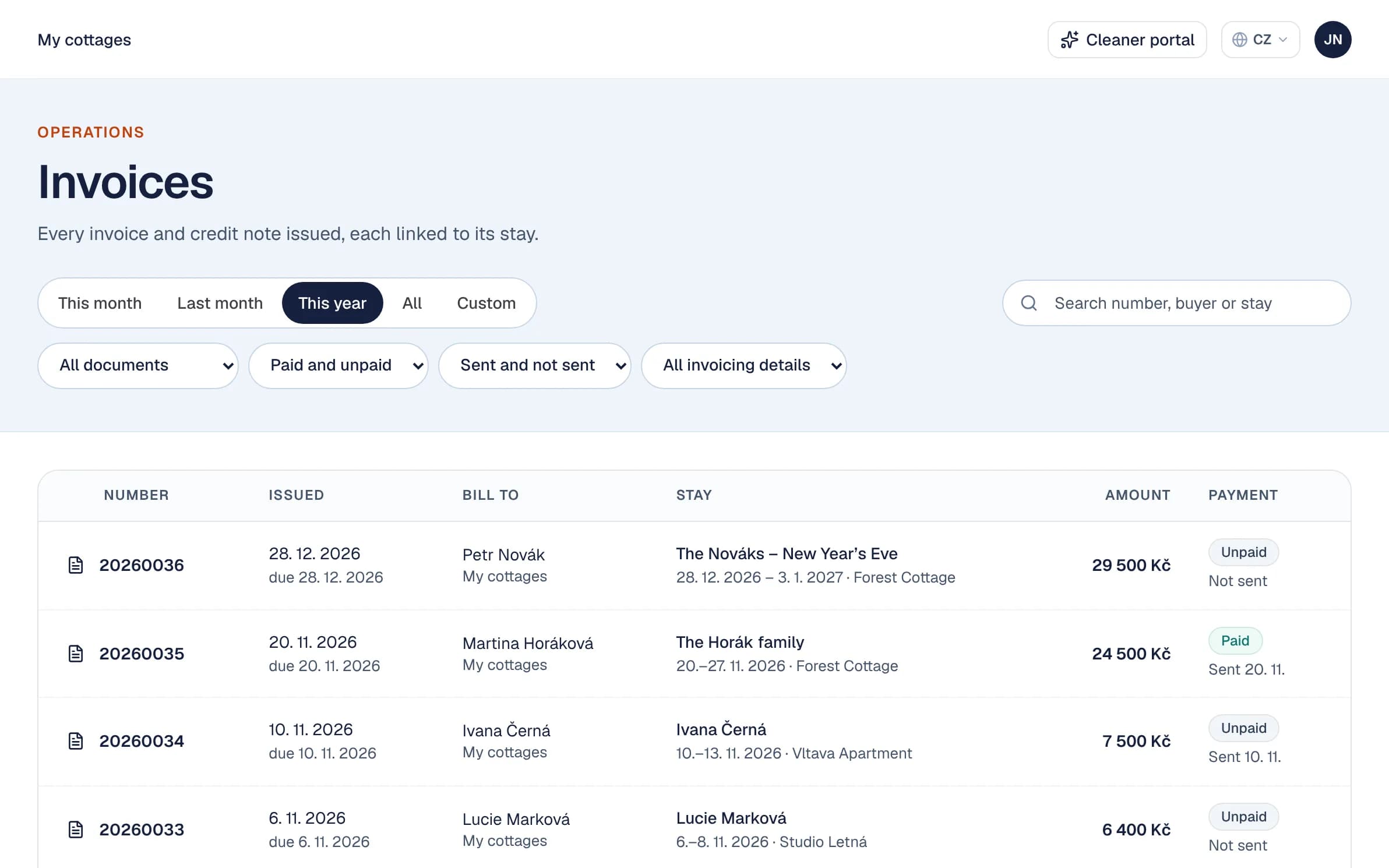
Invoices with a QR payment
Issue an invoice with a QR payment in one click and email it to the guest in their language. Norka tracks what is paid and reminds you of unpaid stays.
- Credit notes for VAT payers
- Every invoice in one list, with filters
- No payment gateway or deposits
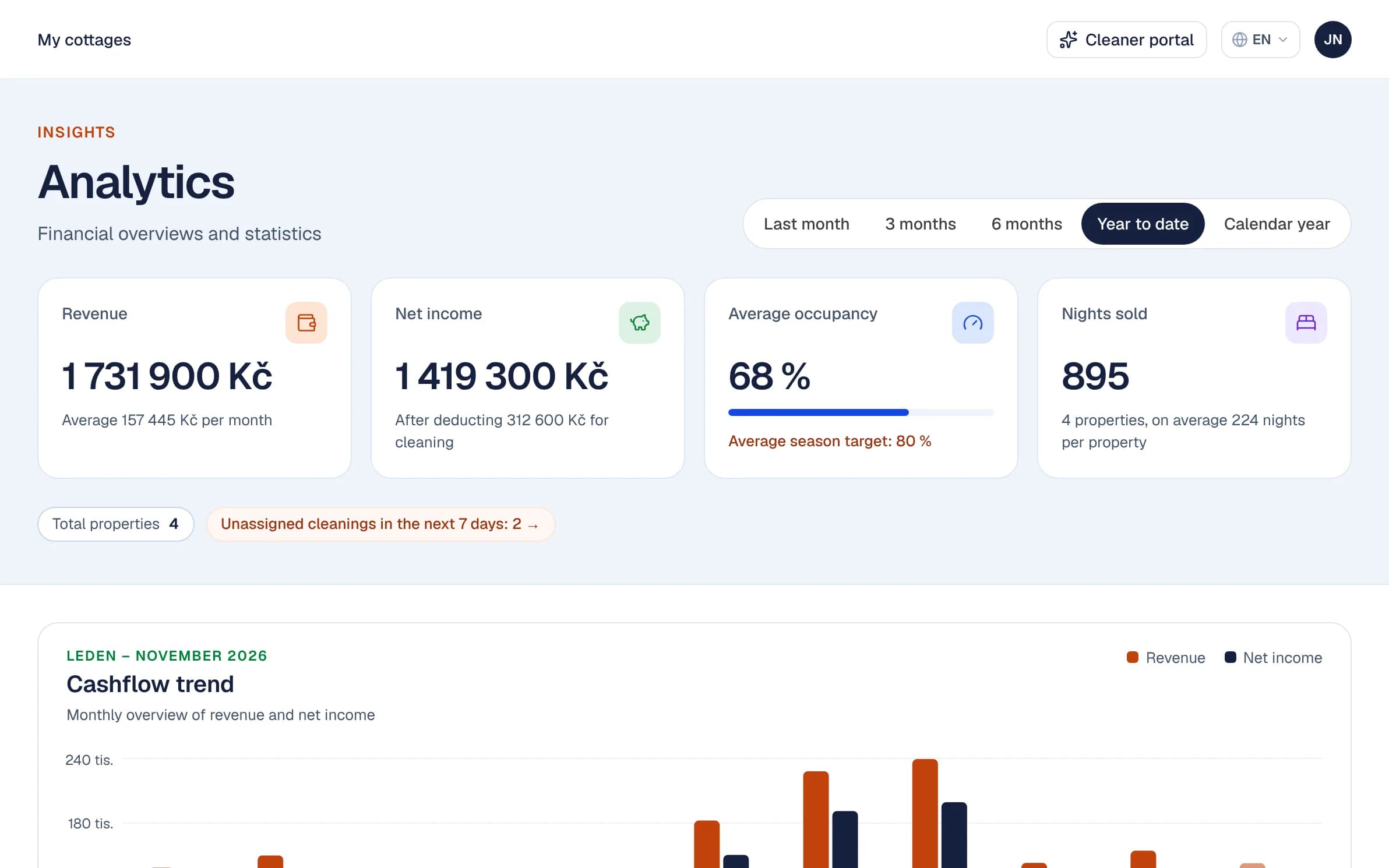
Occupancy, nights and revenue
Revenue, net income, occupancy and nights per property, season and month, with a cashflow trend.
- Per property and per season
- Net income after cleaning
- Compared against your target occupancy
Properties, team & API
Several properties, several people, and an open API for anything custom.
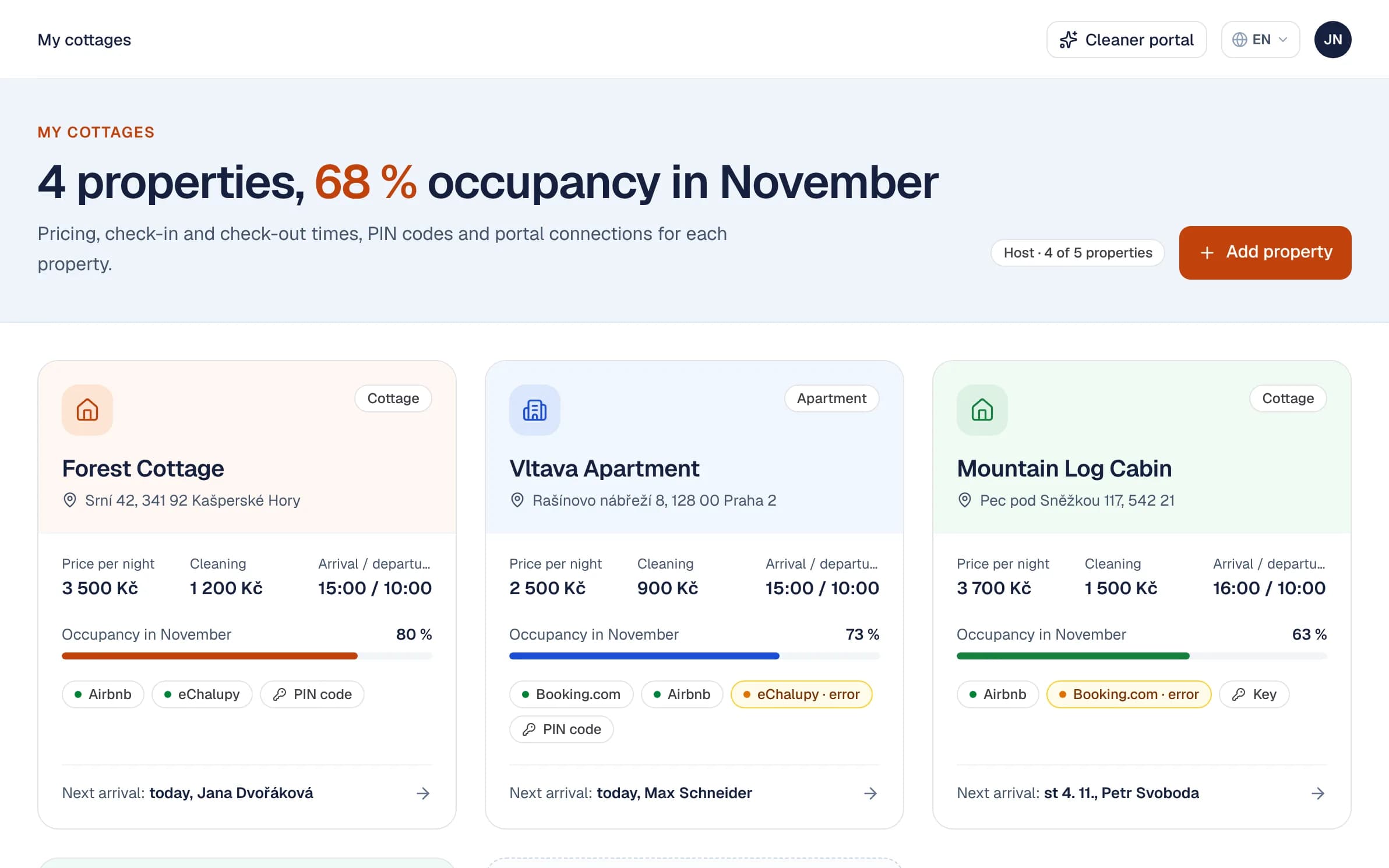
Multiple properties
Chalets, apartments, rooms. Each property keeps its own calendar, guides, seasons and access codes, with one overview on top. Switch off a property you are not renting out and its reservations stay.
- Occupancy per property at a glance
- Door codes and channel connections per property
- Several workspaces if you need them
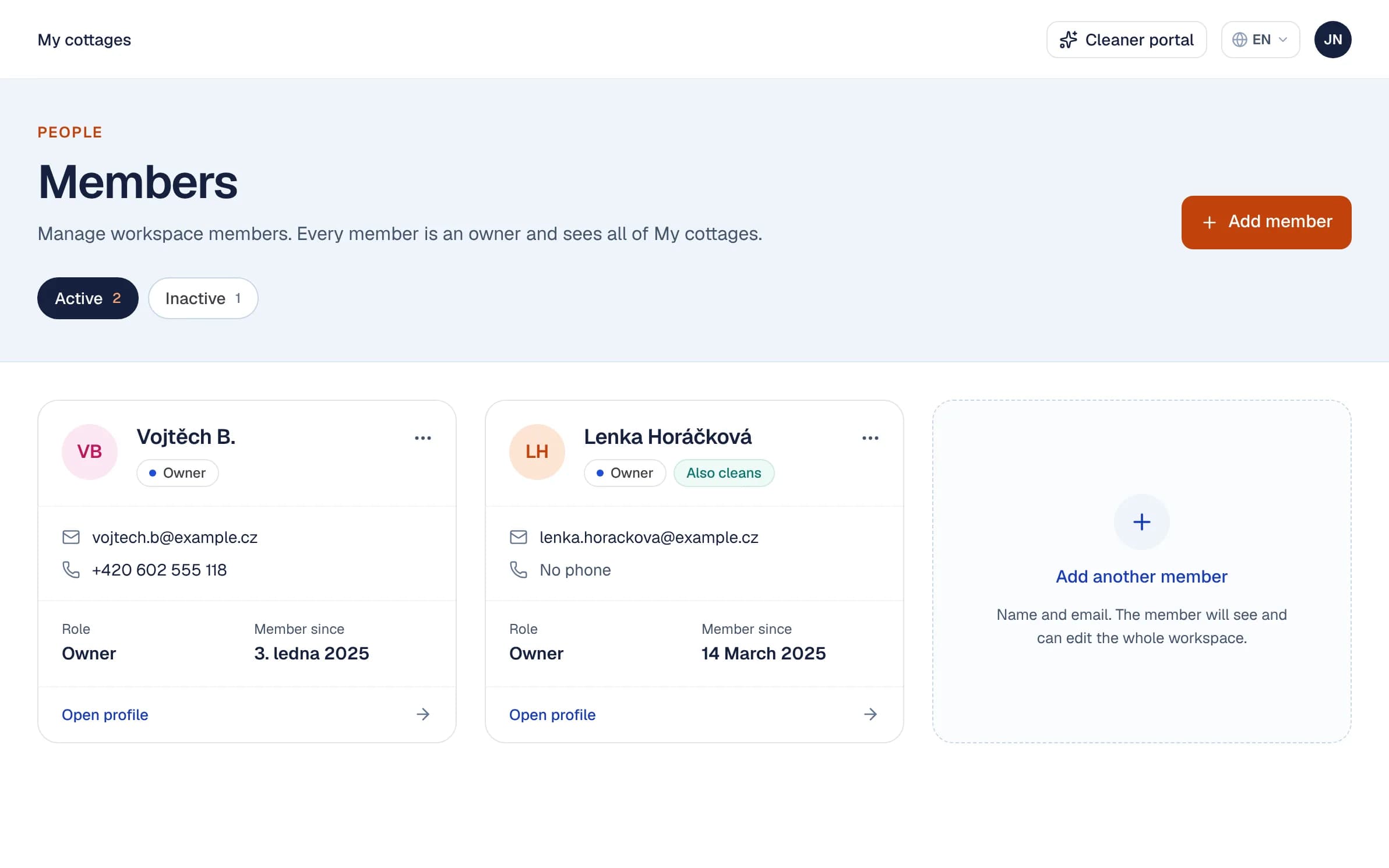
Team, roles and an activity log
Invite co-owners, managers and cleaners with the right access. Every change is recorded, so you can see who did what and when.
- Access to match each person’s role
- An activity log with filters
- Everyone uses the app in their own language